Free Custom VRChat Avatar Maker
Turn your custom 2D anime drawings or text ideas into fully rigged VRChat avatars instantly. The easiest free AI VRChat avatar creator online.
The VRChat community is huge, and expressing yourself through a unique, custom-made avatar is the ultimate flex.
However, commissioning a custom VRChat model from a 3D artist online can cost hundreds of dollars, and learning to model in Blender from scratch can take months. Furthermore, customizing a generic base model means you’ll probably end up looking like someone else in the lobby.
The Hunyuan3D VRChat Avatar Maker allows you to completely bypass the steep learning curve and the high costs. By simply uploading a 2D drawing of your character or typing a description, our AI will generate a fully 3D, rigged .GLB mesh ready to be converted for VRChat or NeosVR.
Here is how you can step seamlessly into the metaverse with your own custom identity.
Instantly Generate Custom VRM Avatars
Our text-to-3D and image-to-3D AI models are natively optimized for anime and humanoid character structures. Unlike generic generators that output blobby geometry, our AI preserves the sharp, cel-shaded anime aesthetic essential for VRChat.
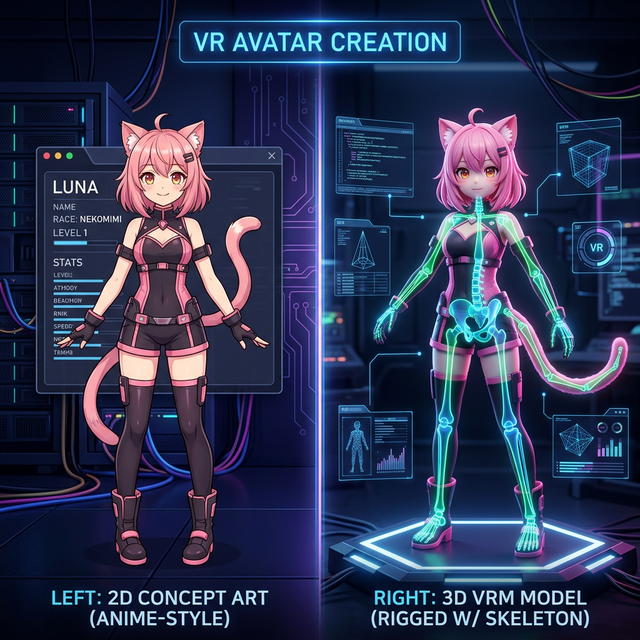
- For VRChat Players: Stop using public avatars! Become the only player in the room with a bespoke, original character design generated from your own text prompt.
- For VTuber Streamers: Generate a lightweight
.VRMmodel that supports full-body tracking on stream for VSeeFace or VTube Studio. - For Unity Developers: Start with our AI-generated base mesh to drastically cut down prep time before adding custom shaders, particle effects, and dynamic bones for your worlds.
How to Create Your VRChat Avatar
No Unity SDK experience is needed to create your avatar’s 3D base mesh.
- Draft Your Character: You have two options. First, you can upload a 2D illustration (like a clean anime-style PNG drawing) of your ideal avatar. Second, you can simply type a prompt describing them (e.g., “A cute catgirl VRChat avatar, short pink hair, cyberpunk racing suit, T-pose”).
- Generate the Mesh: The Hunyuan3D generative AI engine will build the 3D geometry, prioritizing standard humanoid topology for easy rigging.
- Process and Download: Once the 3D model and textures are finished generating, download your
.GLBbase mesh.
Tips for the Best Avatar Experience
- Mind the Polygon Limits. VRChat has strict polygon performance limits (especially for Quest users). If the generated AI model is too high-poly (e.g., above 70,000 vertices), open it in Blender and use the Decimate modifier to reduce the poly count before uploading via the Unity SDK.
- Add Dynamics. The AI generates the mesh and standard texture UVs. You will need to use Unity to add the ‘VRChat Avatar Descriptor’ script and configure your dynamic bone spring components for hair and clothing physics.
Frequently Asked Questions (FAQ)
Can I upload this model directly to VRChat?
Not directly. The AI generates a universal .GLB file. To get it into the game, you must import the .GLB into Blender or Unity, add an Armature (skeleton rig) using a plugin like Mixamo, configure your VRChat SDK materials, and then hit ‘Build & Publish’.
Are the models Quest-compatible?
Yes, as long as you optimize them! Quest standalone avatars must be heavily optimized (under 10,000 polygons, simple unlit shaders, and minimal dynamic bones). The generated AI models are a perfect base, but you will need to decimate the mesh in Blender to meet Quest performance ranks.
Is this VRChat maker completely free?
Yes! Enjoy unlimited text-to-3D and image-to-3D generations thanks to the open-source Hunyuan3D-2 framework. No subscriptions, and no hidden fees for exporting your avatar.